


 RSS Feed (xml)

Showing posts with label Etsy Treasury. Show all posts
Showing posts with label Etsy Treasury. Show all posts
Monday, February 23, 2009

Tuesday, December 16, 2008
Pluggers United - 4th Edition
A great team that is ALL about and for artisans who promote and Pay it Forward to other artisans. Want to be part of this awesome team that's all about supporting and promoting each other? Then come on and check out Pluggers United!
Just convo me that you purchased an once I confirm with seller you will have that credit for when you are ready to shop with Unique Commodities!


Here are a few items from some of our team members! Buy an item from any of these shops and get 20% off of your purchase in my shop
Just convo me that you purchased an once I confirm with seller you will have that credit for when you are ready to shop with Unique Commodities!
PurelyPainting
Thyme2dream
PTFMGraphicssShop
Monday, December 15, 2008
Pluggers United Treasury by PTFMGraphicsShop
Thank you PTFMGraphisShop for the treasury feature of both my Unique Commodities and Infinity Supplies shop! Pluggers United Rocks!

Wednesday, December 3, 2008
SassaLynne's Treasury
So I had a rough day today because I got laid off my job and today was the last day. The awesome SassaLynne sent me a convo saying "chin up and to encourage you I featured you in my treasury"!
Aww! I was so very encouraged and thought "WOW! The Etsybloggers team rocks"! So here is the treasury and thank you SassaLynne for making my evening! Huggles to you!

Aww! I was so very encouraged and thought "WOW! The Etsybloggers team rocks"! So here is the treasury and thank you SassaLynne for making my evening! Huggles to you!
Saturday, November 29, 2008

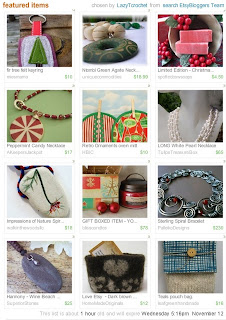
Monday, November 10, 2008
Tip from Palleiko Designs - How to create a screen shot
Tip from Palleiko Designs re: how to create a screen shot! Worked for me – see my treasury shot below!
* Hit F11 to view full screen, then hit the print screen button.
* Hit F11 again to return to normal screen mode.
*Use whatever photo editor tool you have, paste the screen shot there & save as a .png or .jpeg
* Crop wherever needed and there you have it!
Note: If for some reason it is blurry – you may need to check your monitor setting or how you are saving your document in your photo editor software.
Subscribe to:
Posts (Atom)


